Why your website loads slowly
Some websites appear on your screen within a second, others make you wait ten seconds. When a website loading slowly, it's rarely by chance. The difference can usually be traced back to a few concrete choices in hosting, code, and media.
In this article:
What happens when you open a page
In a fraction of a second, a lot happens behind the scenes:
- Your browser searches for which address belongs to the domain name (the DNS step).
- He sends a request to that website's server.
- The server sends back all sorts of things: HTML, CSS, JavaScript, images, video.
- Your browser puts that together into the page you see.
Every step takes time, and at each step you can make it shorter or longer. A website that loads slowly loses time on several of those steps at once. That makes diagnosis difficult: there is almost never a single cause.
Serve a distance
The first place to look when a website is loading slowly is your hosting. A cheap package where hundreds of sites share one machine will be felt in your loading time. A slow or overloaded server simply takes longer to respond, and you'll see that before the first byte reaches the browser.
Distance is added: if your server is in North America and your visitor is in Asia, that data travels thousands of kilometres back and forth. A CDN (Content Delivery Network) places copies of your site on servers distributed across the world, so a visitor is always served from a nearby location. Often of greatest benefit for sites with an international audience.
Images that are too large
The biggest speed gains are often visual. One photo can easily be three or four megabytes, and on a page full of photos, that adds up quickly. Compress your images and use modern formats like WebP or AVIF. The same applies to video: use a separate video host instead of serving large files yourself.
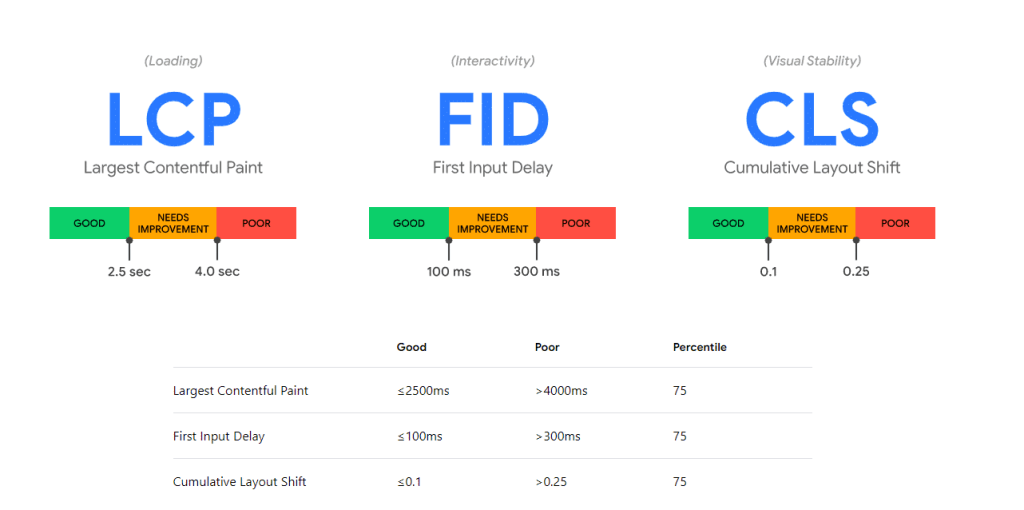
Google's own Guidelines for Largest Contentful Paint Confirm it: images are usually the biggest culprit behind a slow-loading website. Good news: this is also the type of fix you can often implement in an afternoon.
The biggest speed gains are made early in a project, with the fundamental decisions already made then.
– The Fresh-Dev teamSticking code
The code itself also counts. A lot of heavy JavaScript needs to be downloaded and executed before your browser can display the page. Especially on an older or slower device, your visitor will notice that immediately.
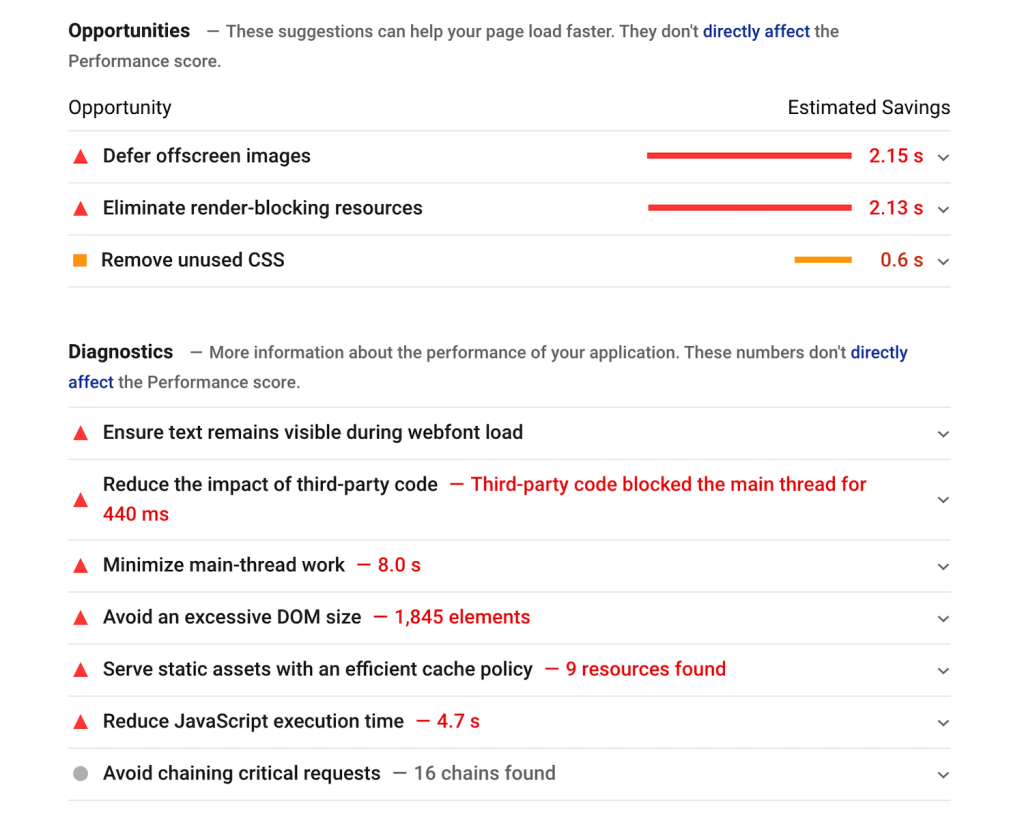
An important concept is render-blocking: code that stops the page from rendering until it's ready. Less of this means your visitor sees something faster. When building a new website, we keep this tight from the start; for existing sites, an audit is often golden.
External scripts and widgets
Nearly every modern website is packed with services from others: analytics, advertisements, fonts, chat widgets, tracking scripts. Each seems innocent enough, but each requests its own connection to an external server. Before you know it, your page loads dozens of external resources, and you're left waiting for the slowest one.
Periodically review your integrations and remove anything you no longer use. It's one of the quickest ways to speed up a slow-loading website. We often find widgets that have been unused for months but are still slowing down every page load.
Measure yourself where your site loses time
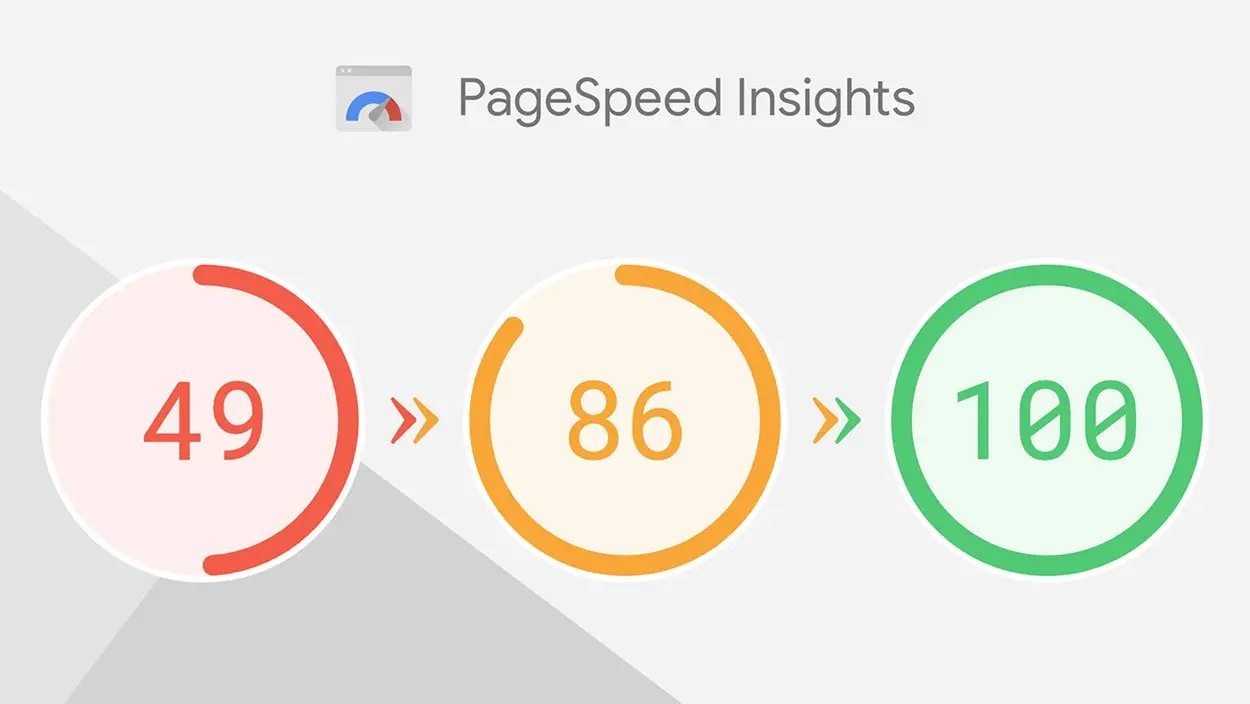
Before you start optimising, measure first. Tools like PageSpeed Insights, WebPageTest, and your browser's developer tools will show you exactly which file or script is causing the delay. Without that measurement, you're just guessing, and guessing rarely pays off.
Why this matters
Speed is more than just a technical detail. A slow site loses visitors even before it's loaded; people simply click away. Furthermore, loading time affects how well you are found in search engines and how long people stay on your site. Speed directly impacts your reach, your conversion, and your revenue.