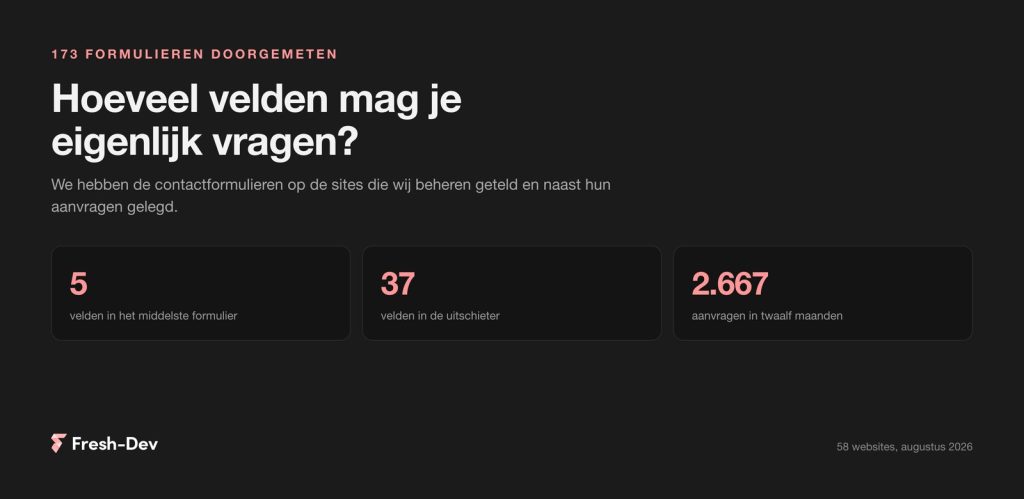
How many fields are you allowed to ask for? We counted 173 contact forms
We counted 173 contact forms on 58 sites: how many fields they ask for, what a phone field does with your requests, and which two fields can be omitted.
Read on Jesse
JesseGoogle Search Console was always about your website. Since late July, it is also about your social channels: you can now add a property of your Instagram, TikTok, X or YouTube channel to it and see what Google sends to those posts.
That sounds like something you'd want to get straight to work on. First, we checked whether there is actually anything to see, because a report on traffic that doesn't exist is an empty graph. We went through twelve Dutch search queries, and the result determines pretty precisely who this is of interest to.
In short:
In this article:
Search Console is the place where you can see which search queries your website appears for in Google, how often, and how frequently it is then clicked. That has now been added for social channels.
You add a property for an account that belongs to you: an Instagram profile, a TikTok account, an X account or a YouTube channel. After that, you will see the same kind of reporting for that account as for a website: which search queries your posts appear for in Google Search, how often they are shown and clicked, and whether they turn up in Discover or Google News.
The feature became available worldwide on 29 July 2026, so here too. Google simultaneously published a guide on analysing social and video performance.
Why this exists is not very complicated. More and more companies are no longer publishing the majority of their material on their own site, but on the channels where the audience is. Google indexes that stuff, sends traffic to it, and until now, nobody could see how much.
This is the misunderstanding you want to clear up straight away, because otherwise you might end up looking at figures that mean something other than what you think.
It only measures what Google does. Impressions in the report are impressions in Google, not on Instagram. If a reel gets 40,000 views on Instagram itself and ten impressions in Google, then it will show ten. That is not an error in the measurement; that is precisely what it measures.
It is per profile. If you have three Instagram accounts and a YouTube channel, those are four properties that you add all four separately.
LinkedIn and Facebook are missing. For Dutch B2B companies, where LinkedIn is pretty much the only channel that matters, this entire feature isn't going to deliver anything for the time being.
Furthermore, the Google forum contains reports from people for whom the option does not appear or for whom the linking fails. If you encounter that, it is not necessarily your fault.
Before you start setting up a dashboard, the most useful question is: does Google in our country actually refer to social posts? We requested twelve Dutch search queries and counted per query how many results in the top twenty pointed to Instagram, TikTok, YouTube or Facebook. August 2026, standard organic results.
First eight searches of the kind our clients live on:
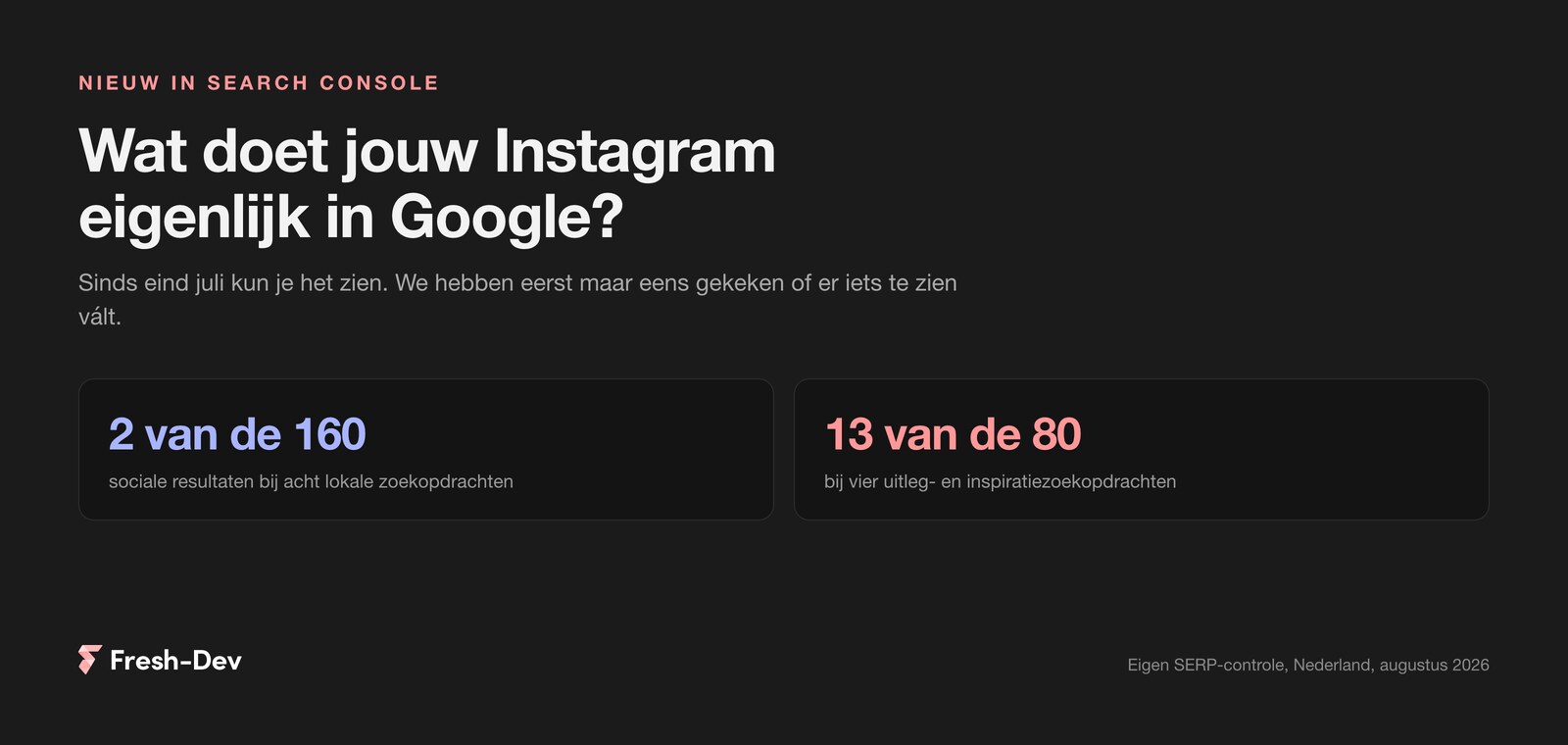
Two social results in 160 positions. The rest of those pages consist of the local map with business profiles, the websites of the businesses themselves, and guides like TripAdvisor and TheFork.
To be clear: this says something about Google, not about the value of social. A good Instagram account delivers returning guests, bookings via a direct message and an audience you reach nowhere else. It's just that this doesn't happen via a search query, and that is precisely what this report measures.
Then four search queries of the explanation and inspiration type:
Thirteen in eighty positions. That is roughly twelve times as often as with the local search queries.
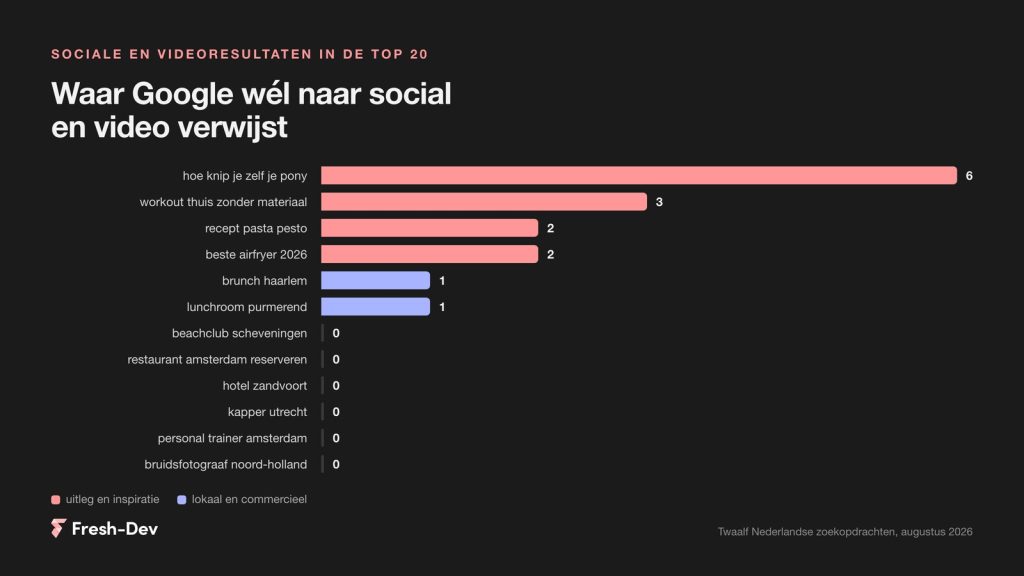
For search queries where someone wants to book, social media won't get you a look-in. For search queries where someone wants to know something, video takes the spot your site will never get.
– Jesse Lafeber, Fresh-DevThose two lists say more about your content strategy than about Search Console.
For search queries where someone wants to buy, book or reserve something, social media doesn't cut it. The local map appears at the top, followed by the websites themselves. If you want to be listed there, your focus needs to be on your Google Business Profile and your own pages. A reel isn't going to help you there, no matter how good it is.
For search queries where someone wants to know something, video can take the place your site never will. Look at “how to cut your own fringe”: a YouTube video is in first place. A hair salon that makes those kinds of videos gets onto the screens of people who aren't even thinking about an appointment yet. For “hairdresser utrecht”, that same salon doesn't get a look-in with video.
Practically translated, by type of business:
Adding it takes very little time. You do need access to the account itself, so do this together with the person who manages the socials.
If you had already created a Search profile with Google for the same channel, the data should appear straight away.
Something to watch out for: this is access to your business accounts. Do it from a company Google account rather than an intern's personal login, and set up multiple owners. Otherwise, in a year's time, the only access to your figures will be on the laptop of someone who no longer works there.
Once the figures come in, the question is what you do with them. Four things that we think make sense.
And don't look daily. These kinds of figures take weeks before there's a trend.
Be honest about the likelihood that this will yield little for you. That applies if you are mainly on LinkedIn, because that channel is not participating. It applies if you depend on local search queries, because social results hardly appear there. And it applies if you hardly publish, because then you are measuring an empty channel more precisely than before.
That's no reason not to turn it on. It takes five minutes and in six months you'll have history. It is a reason not to make a weekly report out of it before you've seen that there's something in it.
What we look at ourselves with clients: first whether Google refers to their channels at all, only then whether it is worth driving traffic to them. That order saves a lot of work on dashboards that nobody opens.
Leave your website and we will check whether your content appears in Google and Discover, and whether setting up this reporting would be worthwhile for you. You will hear back from us within one working day with what we see.
Turn it on for the channels you actually use, leave the rest, and take another look in two months. If it yields nothing, then you will know that with figures instead of a gut feeling.
Do you want to know whether your social channels are driving traffic from Google, or are you looking for someone to set up this kind of measurement so you don't have to figure it out manually every quarter? We can help with that.
We counted 173 contact forms on 58 sites: how many fields they ask for, what a phone field does with your requests, and which two fields can be omitted.
Read on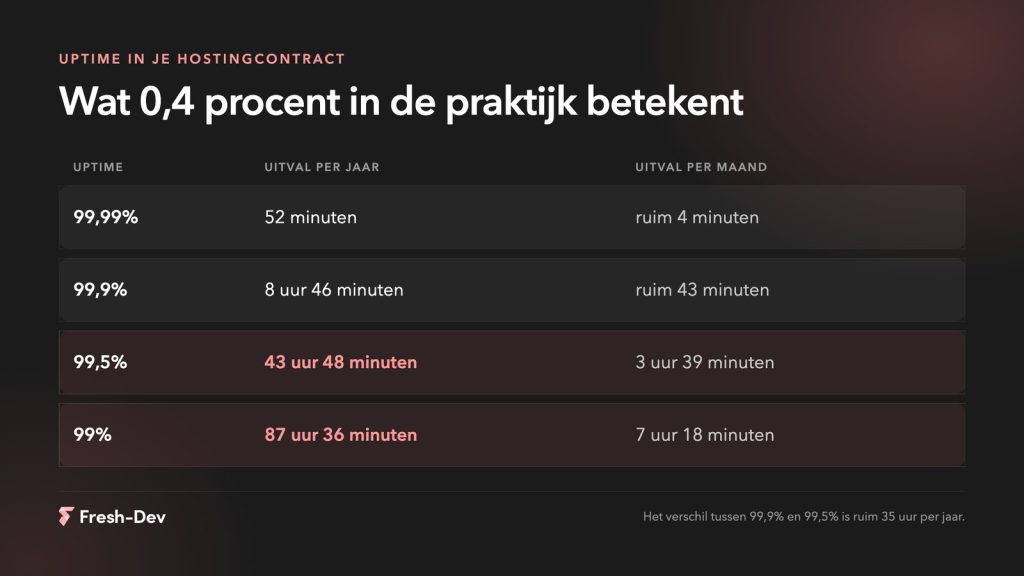
Website downtime costs more than lost revenue. Seven hidden costs and how to prevent them before they add up.
Read on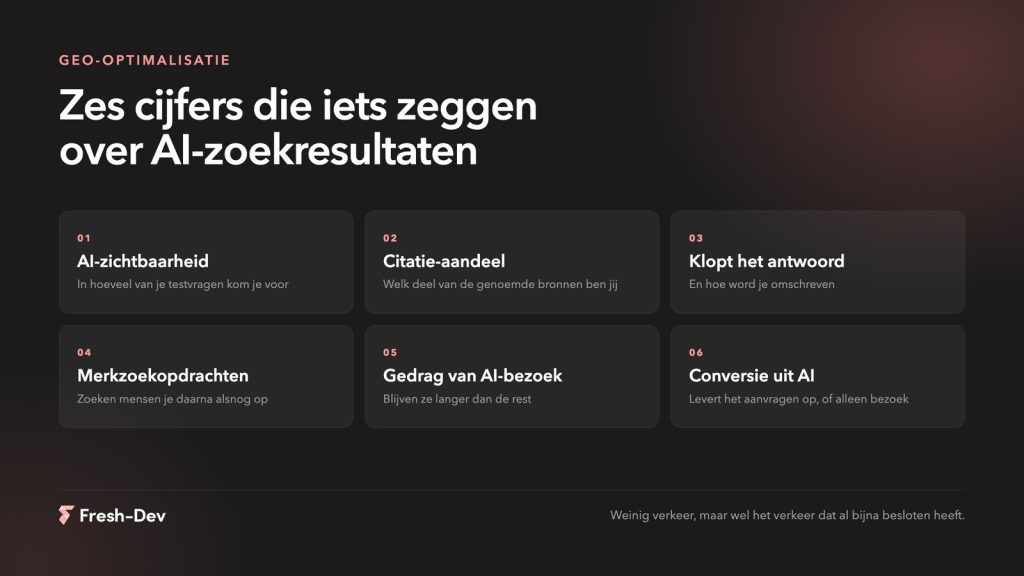
Measuring GEO optimisation without search rankings. Six figures that show whether AI mentions you, what you'd better not measure, and how to set up a baseline measurement.
Read on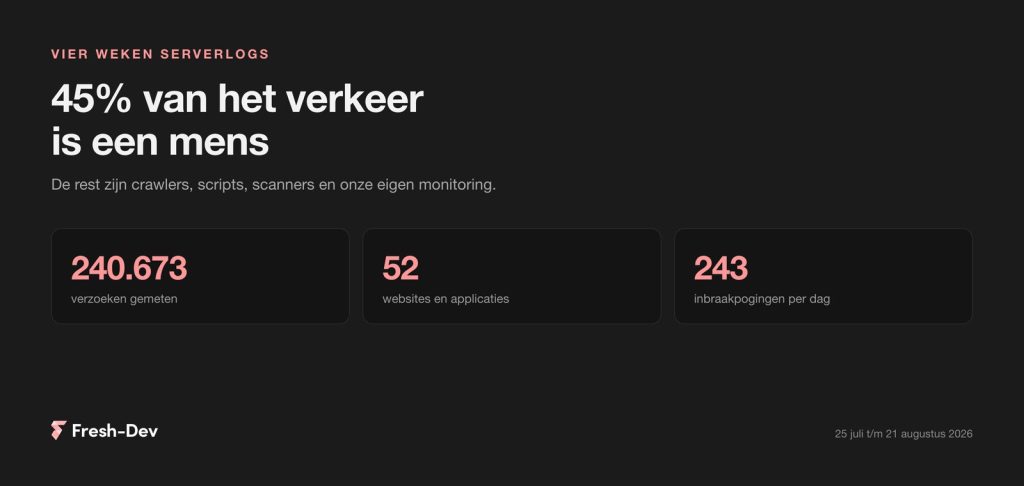
We have combed through four weeks of server logs from 52 sites: 45 per cent human, GPTBot seven times busier than Googlebot and 243 intrusion attempts per day.
Read on
What Claude Skills are, how to create one yourself in ten minutes, and where to place them in Cowork, Claude Code and the API. With an example and common mistakes.
Read on
Elementor Pro 4.2.2 patches a vulnerability in the upload field of the form block. Check in 30 seconds if your site is at risk and what you need to do now.
Read on