How to tell if someone has already been inside
Updating fixes the door, not whatever might already be inside. That’s the tricky thing about this sort of leak: it’s silent. Four things you can check yourself:
- PHP files in
wp-content/uploads. Only images and documents should be there, nothing else. - Administrator accounts you don’t recognise, or existing accounts that suddenly have more privileges.
- Files with a modification date that does not match your last update.
- Outbound mail that you did not send, or complaints about spam coming from your domain.
If you come across anything, do not start tidying it up yourself. With a site that has truly been compromised there are usually multiple backdoors, and missing just one of those means you'll be starting all over again a week later. Take it offline or put it in maintenance mode and have someone look at it.
Why we are reluctant to use page builders
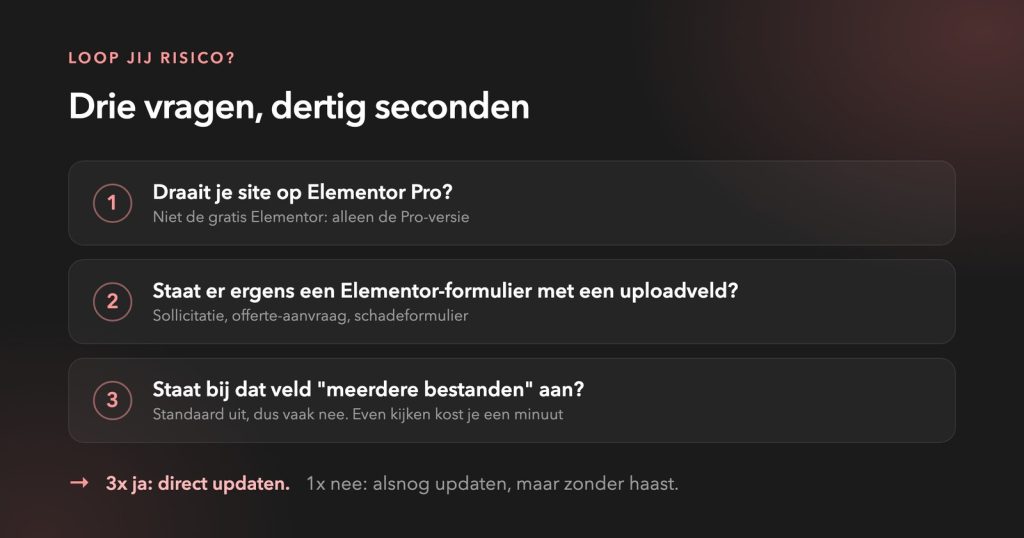
We do not build with Elementor, Divi or WPBakery. Not because it is bad software, because it isn't, but because of what comes bundled with it as standard. Such a builder has to be able to do everything for everyone. That means a mountain of code on your site that you never use, but which still loads and counts towards what can break. A form block that processes uploads is a good example of that: handy if you need it, simply extra risk if you never turn it on.
Add to that the fact that you are tied to the rhythm of an external party. They decide when the fix arrives, you get to run it. With a vulnerability of this calibre, that is precisely the moment when you would rather be at the controls yourself.
We build in code, with only the components that truly belong there. That is no guarantee against leaks, which does not exist. It does, however, reduce how much can leak, and how quickly we can patch it when the time comes.
Are you running Elementor and are you quite happy with it? That’s fine too. Just make sure you keep your updates up to date, and know what plugins are running alongside it.
Prevention is better than cure
This vulnerability can be fixed with a two-minute update. The next vulnerability is in a different plugin, will come at another time, and then the question arises again whether someone will notice it. That is true maintenance about: not getting it right just once, but ensuring someone is there to watch when things go wrong.
Want to know more about where you stand? In our blog about Secure WordPress states what you can check yourself in fifteen minutes.
Would you like us to take a look to see if your site is vulnerable? Send us your website or schedule a consultation. Better today than next week.