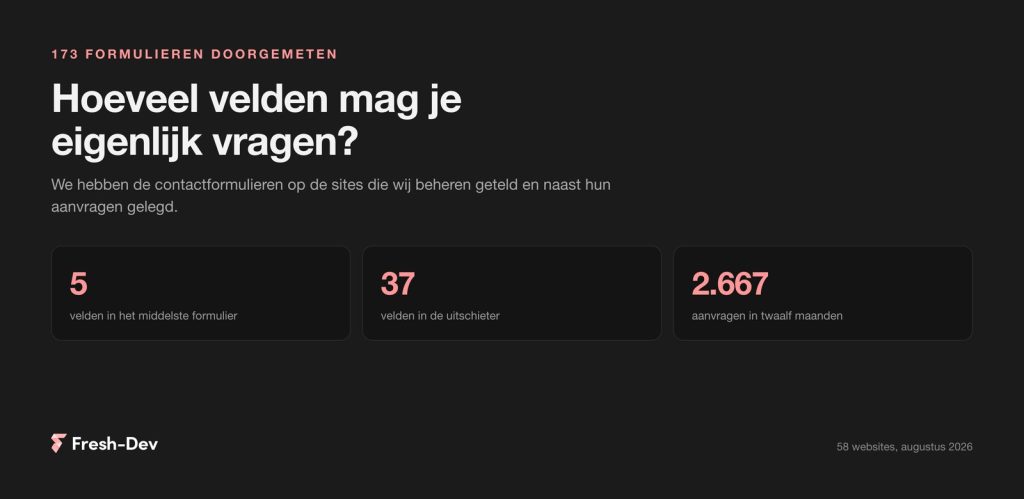
How many fields are you allowed to ask for? We counted 173 contact forms
We counted 173 contact forms on 58 sites: how many fields they ask for, what a phone field does with your requests, and which two fields can be omitted.
Read on Jesse
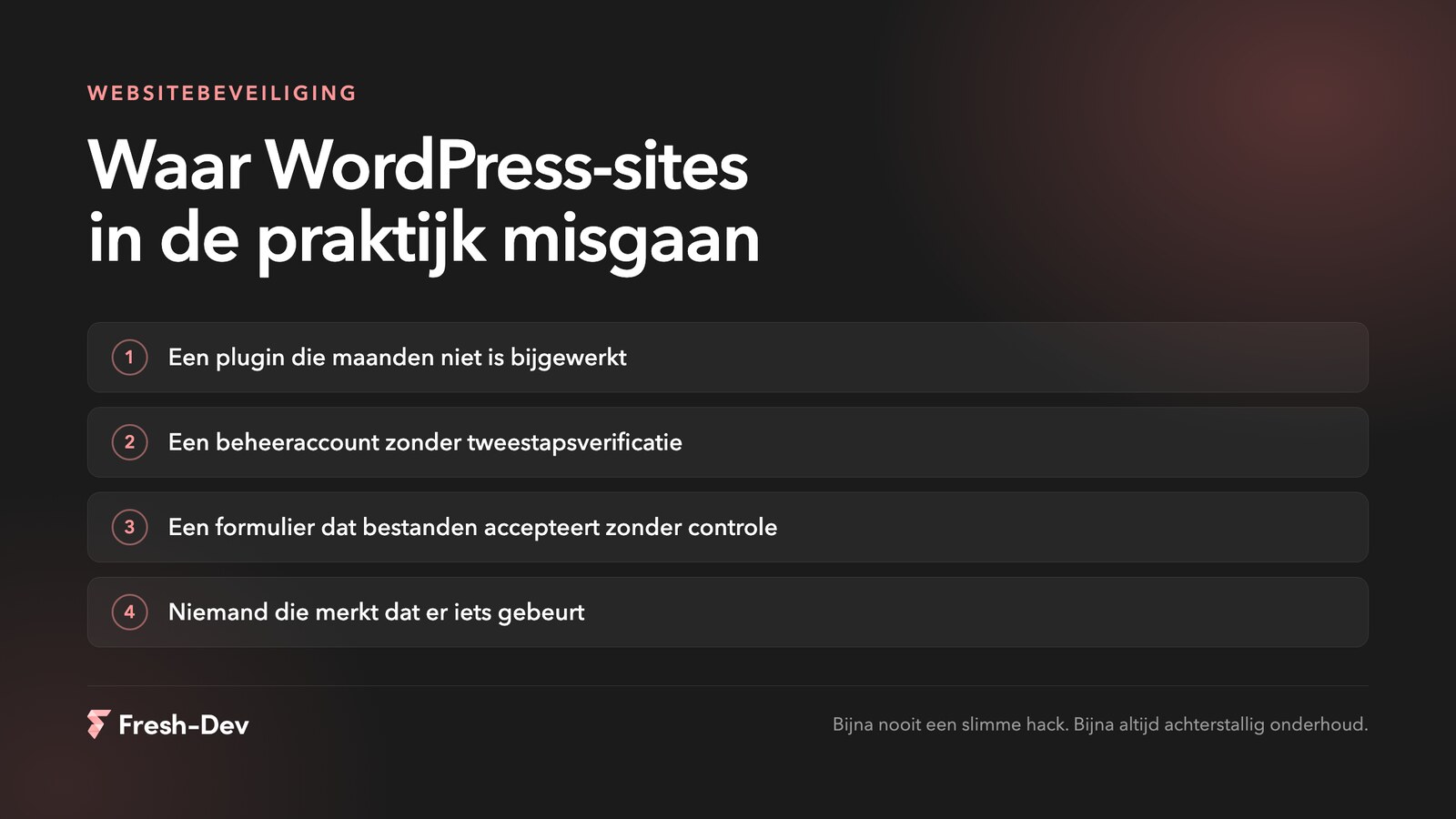
JesseThe image of the hacker as a genius in a dark room is rarely accurate. In the sites we clean up or take over, it is almost never a clever attack. It is a plugin that hasn't been updated for six months, an administrator account that still belongs to an agency that has left, or a form that accepts whatever is thrown at it.
That is actually good news, because it also means you don't have to become a security expert to do something about it. Securing WordPress is about a handful of things that you keep up with consistently.
In short:
In this article:
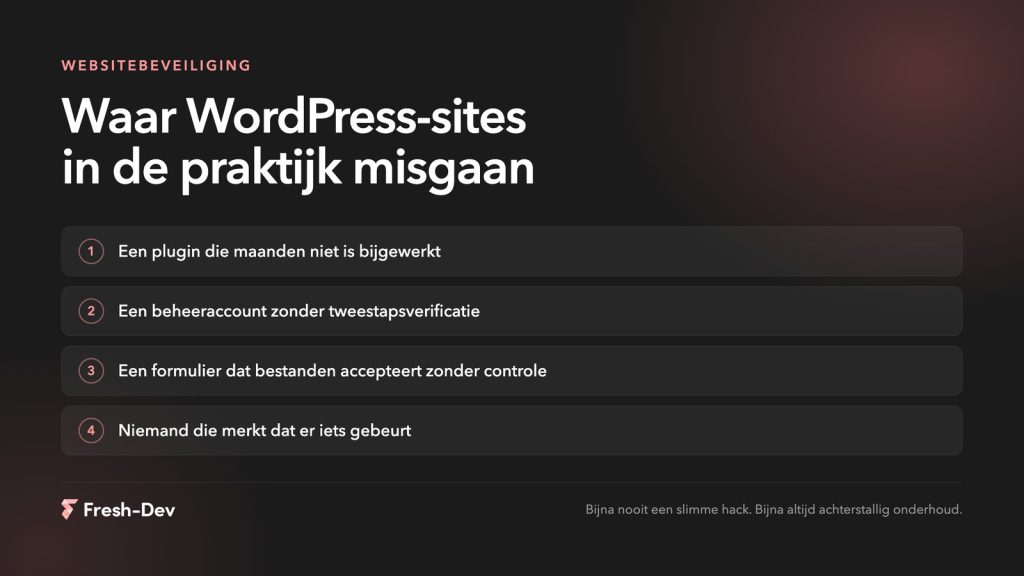
The leaks that matter in practice have been on the same lists for years: outdated software, weak authentication, unvalidated input. They are still there because they still work.
Among a series of sites that we recently cleaned up, the entry point wasn't even in the site itself. The administrator account of the party that did the maintenance had been compromised, and from that tool multiple sites were modified simultaneously. Those sites were not technically worse than average. The key was simply kept outside the door.
That is the pattern. No ingenious attack on your site, but someone automating a known vulnerability across thousands of sites. You are seldom singled out personally, and that doesn't make it any less annoying when you are caught up in it.
Of everything you can do for security, updating yields the most for the least effort. Almost every vulnerability we encounter had already been patched by the creator long before it was exploited. Just not on that site.
A recent example: in August, Elementor patched a vulnerability in the upload field of their forms block. The fix was available within a day, and updating took two minutes. We wrote about exactly where the issue was and how to check whether you’re running it yourself, in this blog about the Elementor Pro vulnerability.
Three things that help with that:
Start with the entrance, as that is where most of the gains are to be made in practice.
And make sure that you notice if something happens. Error messages that arrive somewhere, uptime monitoring, a glance at your logs. Without that, your first signal is usually a customer calling.
Leave your website and we will carry out the check above for you. We will let you know what we find, even if everything is completely fine.
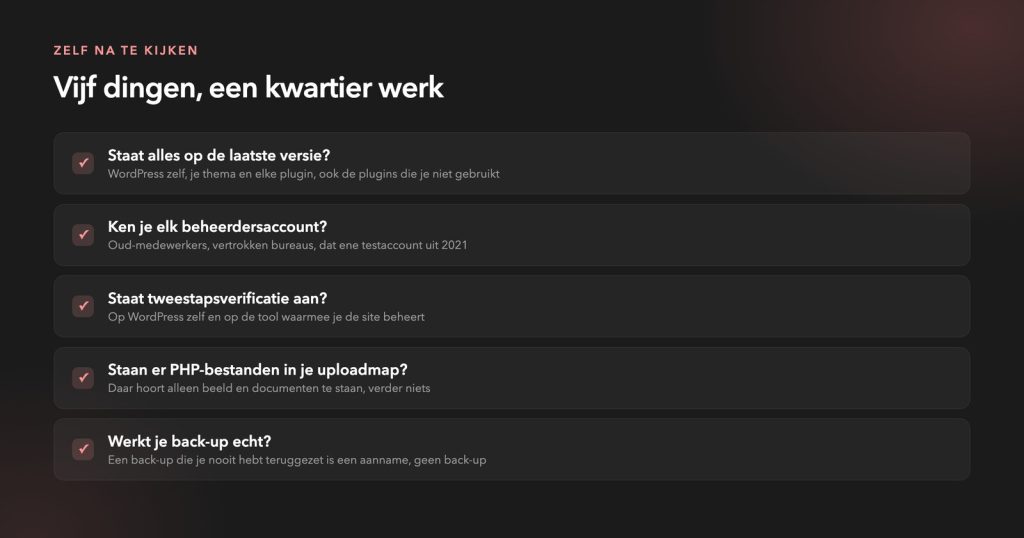
A taken-over site usually looks exactly the same from the outside. No notification appears. Five things you can check yourself:
wp-content/uploads. Only images and documents should be there.site:yourdomain.co.uk and check if you recognise everything.A hacked site usually looks exactly the same as a healthy site. That is precisely the problem.
– Jesse Lafeber, Fresh-DevIf you come across anything, do not start tidying it up yourself. With a site that has truly been compromised, there are usually multiple entry points, and missing just one of them means you will be starting all over again a week later.
Don't know where to start? Call someone who does this more often. A half-hearted cleanup will end up costing you more than a thorough one.
A secure site today is not automatically a secure site next month. A leak crops up somewhere every week, and the question is never whether that will happen, but whether someone notices and deals with it.
That is true maintenance it's not about delivering a good product just once, but making sure someone is watching along. We build securely from the ground up and maintain sites, and if something happens, we usually know about it before the client does.
Do you want to know where your site ranks? Send us your website or schedule a consultation.
We counted 173 contact forms on 58 sites: how many fields they ask for, what a phone field does with your requests, and which two fields can be omitted.
Read on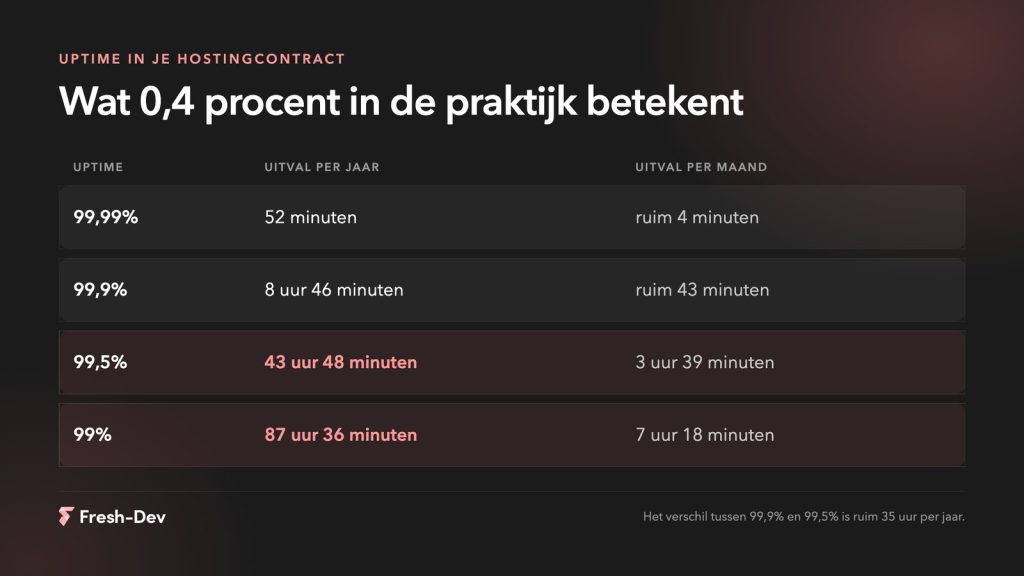
Website downtime costs more than lost revenue. Seven hidden costs and how to prevent them before they add up.
Read on
Measuring GEO optimisation without search rankings. Six figures that show whether AI mentions you, what you'd better not measure, and how to set up a baseline measurement.
Read on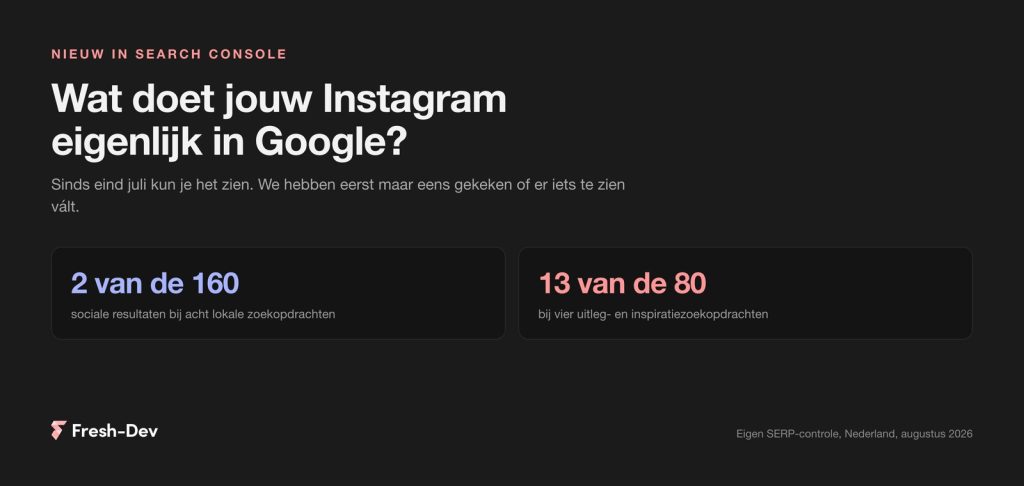
Search Console has been showing what Google sends to your Instagram, TikTok, X and YouTube since July. We checked twelve Dutch search queries.
Read on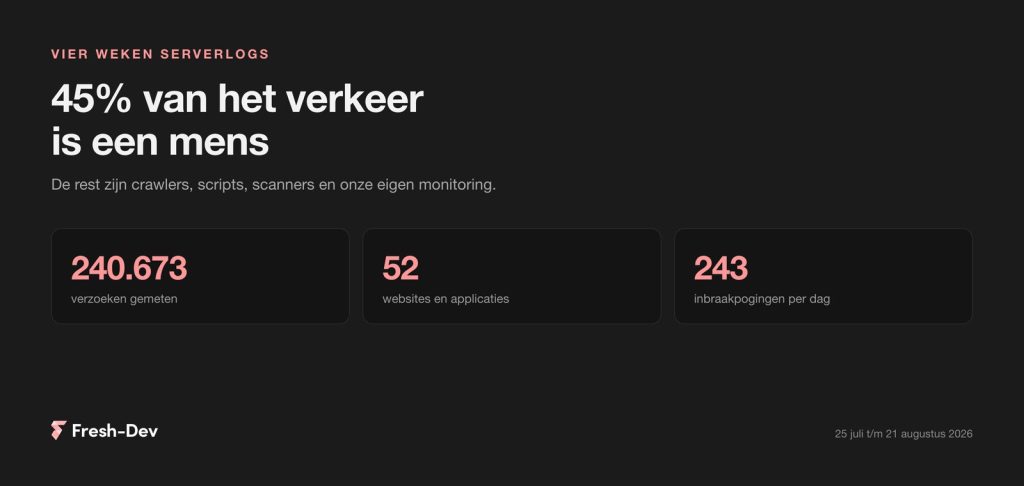
We have combed through four weeks of server logs from 52 sites: 45 per cent human, GPTBot seven times busier than Googlebot and 243 intrusion attempts per day.
Read on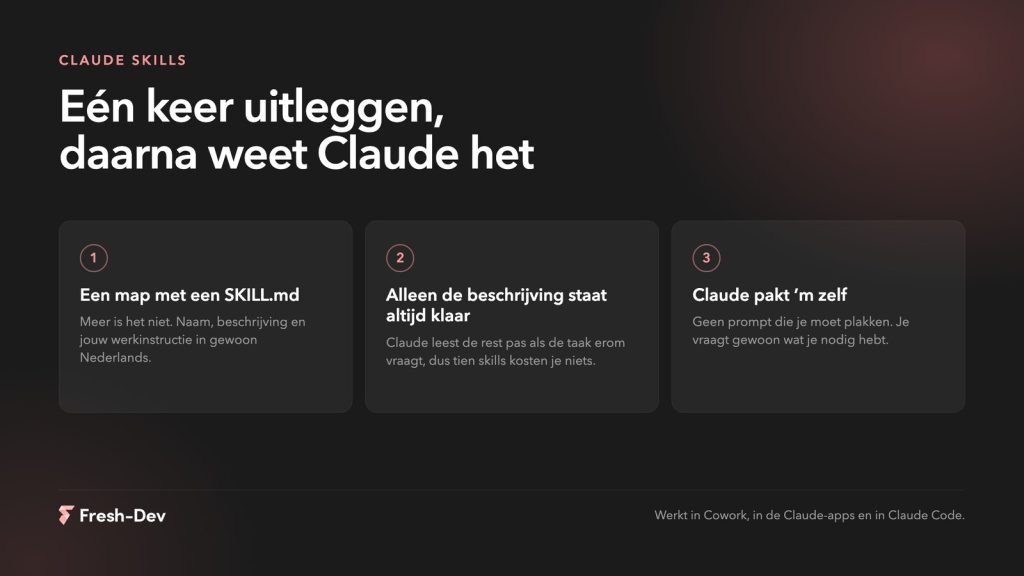
What Claude Skills are, how to create one yourself in ten minutes, and where to place them in Cowork, Claude Code and the API. With an example and common mistakes.
Read on